
Copilot for Legal vs Spellbook: Which Fits Your Firm?

AI Technology Professional & Workplace Automation Consultant

Microsoft’s Copilot and Spellbook both work inside Word, but they differ sharply in price, focus, and availability. We break down real costs, feature gaps, and security duties so small firms can choose with confidence. Use our side-by-side table and 30-day pilot plan to decide which tool earns a seat at your firm.
It’s 9:40 p.m. on a Thursday. A vendor just sent back a 38-page master services agreement, the client wants comments by 8 a.m., and your paralegal left at five. Lawyers at small U.S. firms know this feeling well. An AI assistant inside Word can cut the late-night slog, but the two big names work very differently and cost very differently. This guide shows which one fits your firm’s size, budget, and risk tolerance.
Quick Answer: Microsoft’s Copilot is the budget-friendly pick for firms already living in Microsoft 365, at about $21–$30 per user each month, but its legal-specific contract agent is still a preview. Spellbook is a dedicated contract drafting and review add-in that costs several times more and has no public price list. Choose Microsoft for broad, low-cost help across email and documents, and choose Spellbook if contracts are the core of your practice.
How Copilot for Legal Word Contract Review Works
Microsoft doesn’t sell a single product under that name. When lawyers use the phrase, they usually mean two layers of Microsoft’s AI working inside Word.
- Layer one: everyday Copilot in Word. It can summarize a long agreement, pull out dates, parties, and payment terms, and answer questions about specific clauses. It also drafts emails in Outlook and meeting briefs in Teams. Microsoft’s own legal scenario library shows examples. (Source: Microsoft Adoption)
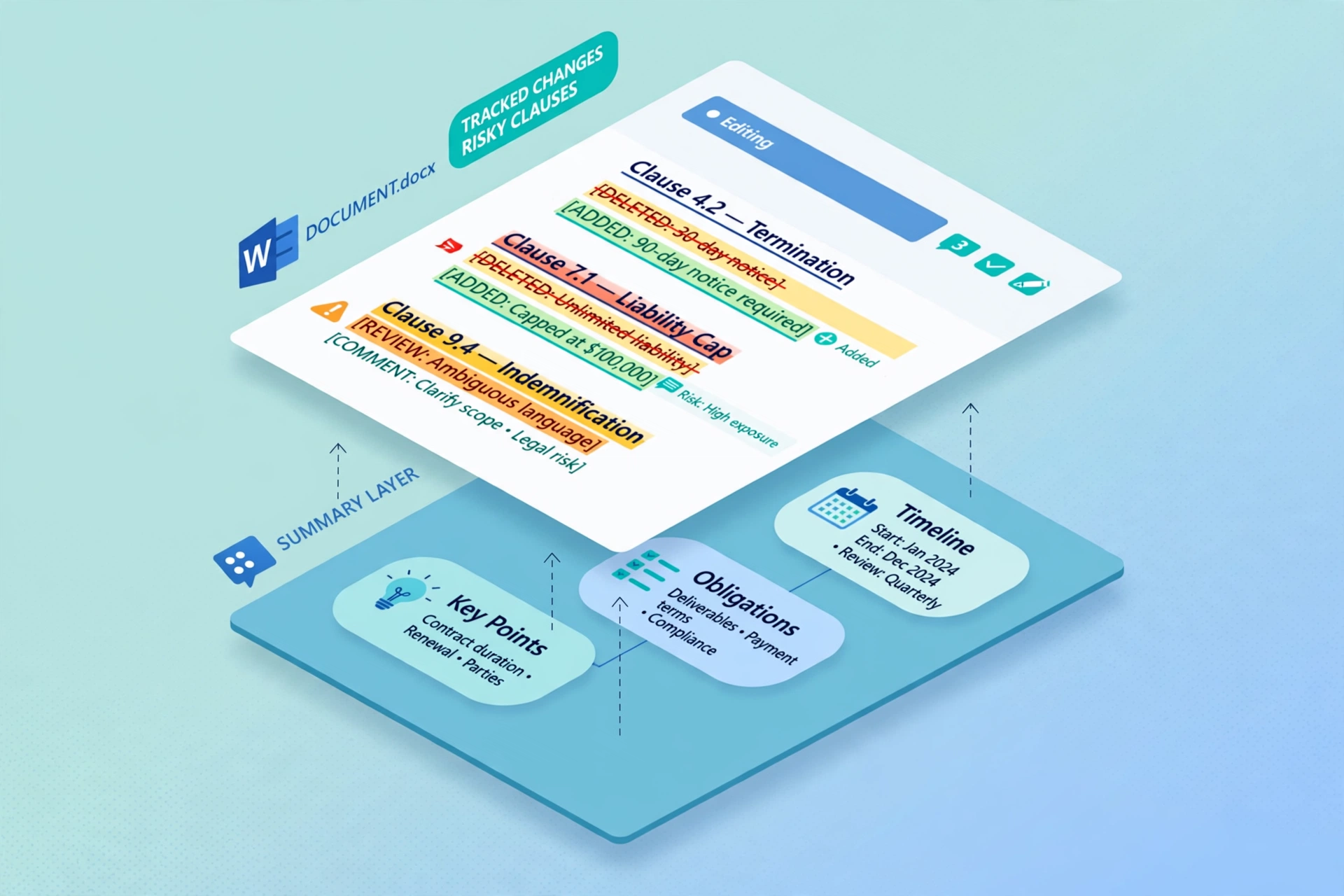
- Layer two: Legal Agent for Word. Microsoft announced it in April 2026 as a Frontier public preview for U.S. legal professionals on the Word desktop app. It flags risky or non-standard clauses, compares language to your internal playbooks, and proposes edits as tracked changes. (Source: Microsoft 365 Message Center announcement, MC1296877)
What Microsoft’s Approach Does Well
The big win is convenience. Everything happens in the apps your team already uses, so nobody copies and pastes clauses into a chatbot. It also reaches beyond contracts, into inboxes, meetings, and spreadsheets. An independent tool tracker notes that the Legal Agent runs inside existing Microsoft 365 security controls, which cautious firms like. (Source: independent AI tool tracker)
Where It Falls Short Today
The legal agent is still in preview. You need a Copilot license plus enrollment in Microsoft’s Frontier early-access program, and no separate price has been announced. (Source: Microsoft 365 Message Center; independent AI tool tracker)
Standard Copilot is also better at reading a contract than grading it against your standards. Without the playbook layer, you get a smart summarizer, not a full reviewer. If you’re curious how other fields handle this gap, browse our guide to AI tools built for specific professions.

Spellbook vs Copilot Features: Side-by-Side Table
Spellbook is a Word add-in built only for contract work. It launched in 2022 and says it serves thousands of legal teams. Its add-in covers Review, Draft, Ask, Benchmarks, and Playbooks, and its Associate agent handles multi-document work. (Source: company-reported figures on vendor listing sites; usage-pricing tracker, June 2026)
| Category | Microsoft Copilot | Spellbook |
|---|---|---|
| Built for | Everyday work across Microsoft 365 | Contract drafting and review only |
| Where it lives | Word, Outlook, Teams, Excel | Word add-in |
| Playbook review | Yes, via Legal Agent (preview) | Yes, built in |
| Tracked-change redlines | Yes, via Legal Agent (preview) | Yes |
| Clause benchmarking | Not highlighted in Microsoft’s announcement | Yes, against 2,000+ standard clauses (listing-site figure) |
| Handles non-legal tasks | Yes | No |
| Availability | Copilot now; Legal Agent needs preview enrollment | Demo and 7-day trial |
| Public price | Yes | No (quote only) |
Who wins each round:
- Breadth: Microsoft, because it helps with email, meetings, and spreadsheets too.
- Contract depth: Spellbook, because every feature serves contract work.
- Availability today: Spellbook, since Microsoft’s legal agent still needs preview access.
- Cost: Microsoft, by a wide margin.
Copilot for Legal Pricing: What You’ll Really Pay
Microsoft publishes its prices, so budgeting is simple. Here’s what small U.S. firms see:
- Copilot Business: $21 per user each month on an annual commitment, for organizations up to 300 users. Some resellers list an $18 promotion through December 31, 2026, so confirm before you buy. (Source: Microsoft partner and reseller pricing reports)
- Enterprise add-on: $30 per user each month. (Source: Microsoft pricing)
- Base plan required: Business Standard rose to $14 per user on July 1, 2026, which makes about $35 with Copilot Business. Business Premium stayed at $22, about $43 together, and adds stronger security tools. (Source: Microsoft partner pricing summaries)
Here’s a five-lawyer firm’s yearly math:
| Option | Annual cost (5 users) |
|---|---|
| Copilot Business add-on only | $1,260 |
| Enterprise add-on only | $1,800 |
| Business Standard + Copilot Business | $2,100 |
| Business Premium + Copilot Business | $2,580 |
The Legal Agent has no separate public price during the preview, and broader pricing hasn’t been announced. Prices in this space also move fast, as we saw with how quickly AI price tags can change.
Spellbook Pricing: Why the Numbers Vary So Much
Spellbook’s official pricing page uses custom, per-seat quotes through a demo. Third-party sites fill the gap with guesses, and the guesses don’t agree. (Source: Spellbook; listing sites and pricing trackers, 2026)
- Entry estimates range from about $40 to about $149 per user each month.
- Enterprise estimates cluster near $350 per user each month, often with a six-month minimum and reported seat minimums.
- Monthly billing reportedly adds roughly 20% over annual rates.
Run those estimates through the same five-lawyer firm. At $89 per seat, the yearly cost is $5,340. At $350, it climbs to $21,000. That’s a huge gap, so never budget from a blog post, including this one.
Before you sign, ask for:
- The exact per-seat rate for your headcount and term
- Minimum commitment length and seat minimums
- Whether the Associate agent is included in the license
- A written trial or pilot agreement (a 7-day free trial is widely reported)

Best AI Contract Review Tools for Small Law Firms
Microsoft and Spellbook aren’t the only names. Harvey, CoCounsel, and Lexis+ AI also show up in shortlists, though trackers put CoCounsel at roughly $104 to $639 per user monthly and Harvey on custom quotes. (Source: legal AI pricing trackers) For a small firm, the two tools in this guide are usually the realistic starting point. Here’s how to match one to your practice.
If You Run a Mixed-Practice Firm
You draft some contracts but spend most days on email, calendars, and client memos. Microsoft’s add-on spreads its cost across all that work. You can use general Copilot now and add the legal agent when your firm gets access.
If Contracts Are Your Bread and Butter
If you handle commercial agreements, NDAs, or deal documents all week, a purpose-built tool earns its price faster. Spellbook’s playbooks, benchmarking, and precedent drafting target that daily grind. See more head-to-head AI tool reviews if you’re weighing other categories too.

Legal AI Tools Comparison 2026: Security, Ethics, and Risk
Features matter less than rules. Lawyers carry duties no software can take over.
ABA Formal Opinion 512, issued July 29, 2024, says lawyers need a reasonable understanding of an AI tool’s strengths and limits. It also says they must independently verify AI output. It advises reviewing a tool’s terms of use and privacy policy, and getting informed client consent in some situations. (Source: American Bar Association)
The State Bar of California’s practical guidance adds a clear warning. Don’t enter confidential client information into any AI tool that lacks adequate security and confidentiality protections. (Source: State Bar of California)
Ask every vendor these questions:
- Does it use our documents to train its models?
- Where is our data stored, and for how long?
- What admin controls and audit logs do we get?
- What security certifications can you show us in writing?
Rules like these are shifting quickly, so follow the latest legal AI trend shifts before you commit.

Which One Should Your Firm Choose?
Use this simple rule of thumb:
- Choose Microsoft’s Copilot if you already run Microsoft 365, want low per-seat costs, and need help beyond contracts.
- Choose Spellbook if contract volume is high, you rely on playbooks, and you can handle a higher price and a longer commitment.
- Wait and watch if you need the Legal Agent today but can’t get preview access yet.
Don’t pick from a feature list alone. Run a 30-day pilot with 10 real, non-sensitive or properly cleared contracts. Track three things: time to first redline, issues caught or missed, and how many edits a lawyer still has to make. Then compare cost per hour saved. For ideas on setting up a pilot, explore these workflow automation ideas and our latest field-tested picks.
Conclusion
Microsoft’s option wins on price and breadth, while Spellbook wins on contract focus and availability today. For most small firms, the smartest move is a 30-day pilot on real agreements, not a guess. Pick the tool that saves your team the most review time per dollar, then write clear rules for how everyone uses it. Ready to set those rules? Read our AI workplace rules guide next.
References
- Microsoft 365 Message Center, MC1296877: “Microsoft 365 Copilot: Legal Agent for Word” (Frontier Public Preview, April 2026)
- Microsoft Adoption: “Using Copilot for quicker contract review” (legal scenario library)
- Microsoft pricing and partner pricing summaries for Microsoft 365 Copilot ($30), Copilot Business ($21), and July 1, 2026 Business plan changes (Velosio; CMIT Solutions; Office Watch)
- Spellbook (spellbook.com): pricing page, quote-based pricing
- Spellbook pricing estimates and the six-month-minimum reports: Hyperstart, Bind, Dupple, and Costbench trackers (2026). These are third-party estimates, not official prices.
- American Bar Association, Standing Committee on Ethics and Professional Responsibility, Formal Opinion 512 (July 29, 2024)
- State Bar of California, Practical Guidance for the Use of Generative AI in the Practice of Law (2024)
- Independent tool tracker notes on Legal Agent licensing and security (KaiAI tutor tool directory)
Questions & Expert Answers
Common practical questions regarding this tool or workflow.
What is the main difference in Copilot for Legal vs Spellbook?
What does Copilot for Legal pricing include?
What is Spellbook pricing per user per month?
Are there AI contract review tools for small law firms under $50 a month?
Can Copilot for Legal Word contract review replace a lawyer’s review?
Do I need client consent before using AI on a contract?
Tom Edgar
AI Technology Professional & Workplace Automation Consultant
Tom Edgar is an AI technology professional with 6+ years of experience in AI technology, focused on evaluating practical AI tools and helping working professionals use artificial intelligence to improve productivity and workplace workflows.